
Shared CRM and Billing Data
Work from the customer and service records used for billing, with access suited to each person’s role.
One record across the customer lifecycle
A telecoms account manager needs more than contact details when discussing a renewal. The existing services, recurring charges, contract dates and unresolved queries all affect the offer. SAFE CRM makes that context available from the platform that holds the billing records.
The shared model reduces the need to copy customer and product information between sales and billing. It also makes responsibility for the underlying data important: prices, dates and service status still need to be maintained accurately.
Price the proposed services
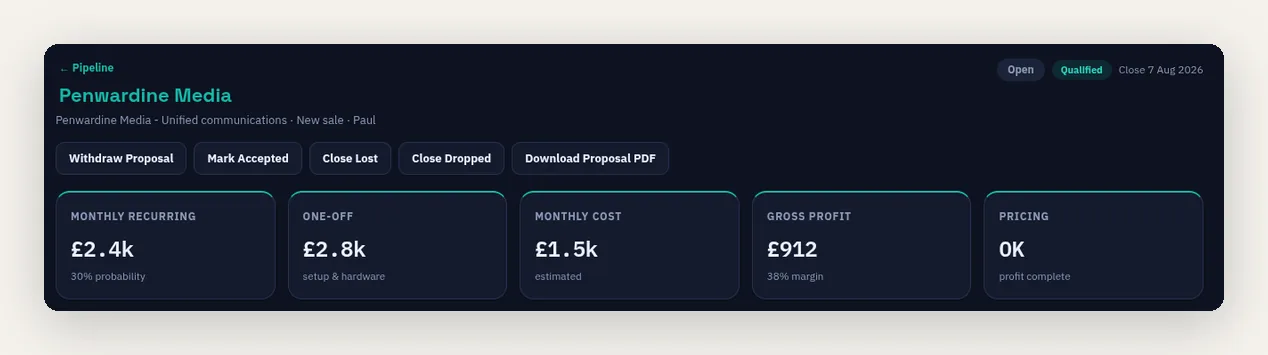
Deals contain the numbers, services and features being offered, with the relevant recurring and one-off charges. Tariffs and packages provide the pricing basis, and available supplier costs support a margin review for users with the appropriate access.
The quoted monthly amount is not a promise that every invoice will be identical. Usage, VAT, part-period billing and the actual activation date can change the invoice. Keeping the commercial inputs together makes those differences easier to explain.
Prepare renewals from the installed base
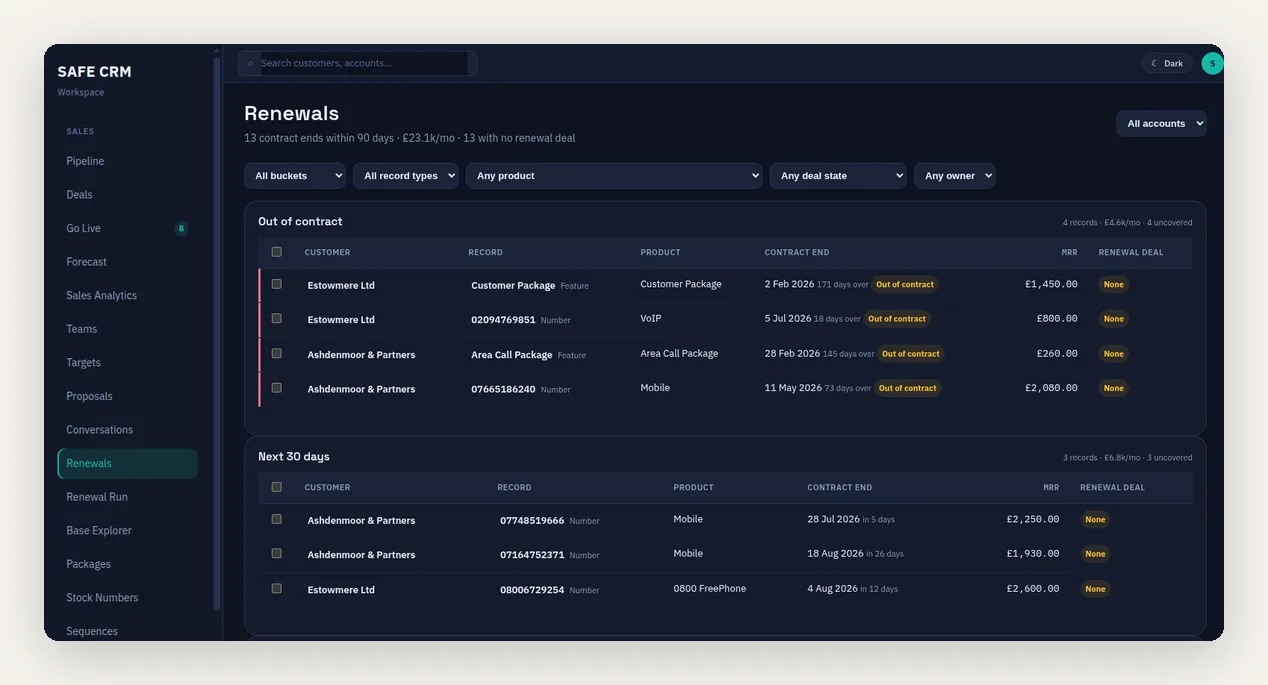
Contract end dates come from the supported service, number and feature records. The renewal views show upcoming dates, recurring value and whether an open renewal opportunity already covers the record.
This helps an account manager prepare the conversation without rebuilding the service list. Missing dates or incorrect product classifications still need attention before the report can be relied on.
Connect support and collections with the account
Authorised staff can review invoices, payments, cases and the available charge evidence in the customer context. A billing dispute can identify the affected charges and feed into collection holds and credit requests.
A payment recorded elsewhere must reach the platform before the account view reflects it. External carrier and accounting systems also retain their own roles; a shared CRM and billing record does not make every outside process part of the same database.
Keep access appropriate to the role
Enabled modules, CRM tiers, section access and financial permissions determine what each user can see and do. A salesperson can work on an opportunity without receiving authority to run billing or approve a credit.
Choose the workflow first, then confirm the required access. The pricing page explains the tier structure, while a demonstration can establish the right permissions for your team.
Related CRM workflows
Questions about shared CRM and billing data
Does sharing data mean everyone sees everything?
Can we still use external systems?
Will the first invoice match the quote exactly?
Who maintains contract dates?
Follow One Customer Record
Review a customer with live services, an open opportunity and a billing query to see how the shared information supports each team.